...
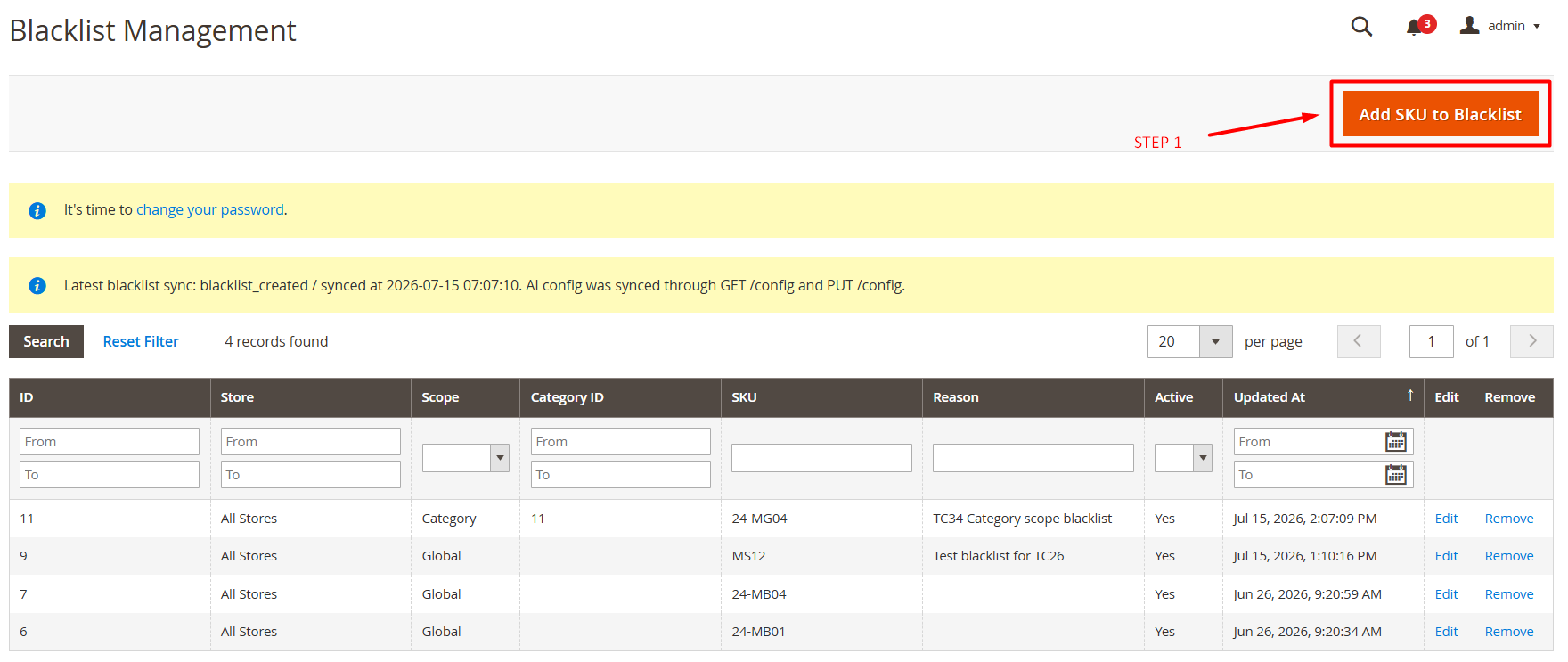
- Click Add SKU to Blacklist.
- Select the applicable store.
- Select the rule scope.
- Select a category when required.
- Enter the product SKU.
- Enter an optional reason.
- Set Active to Yes.
- Click Save Blacklist Rule.
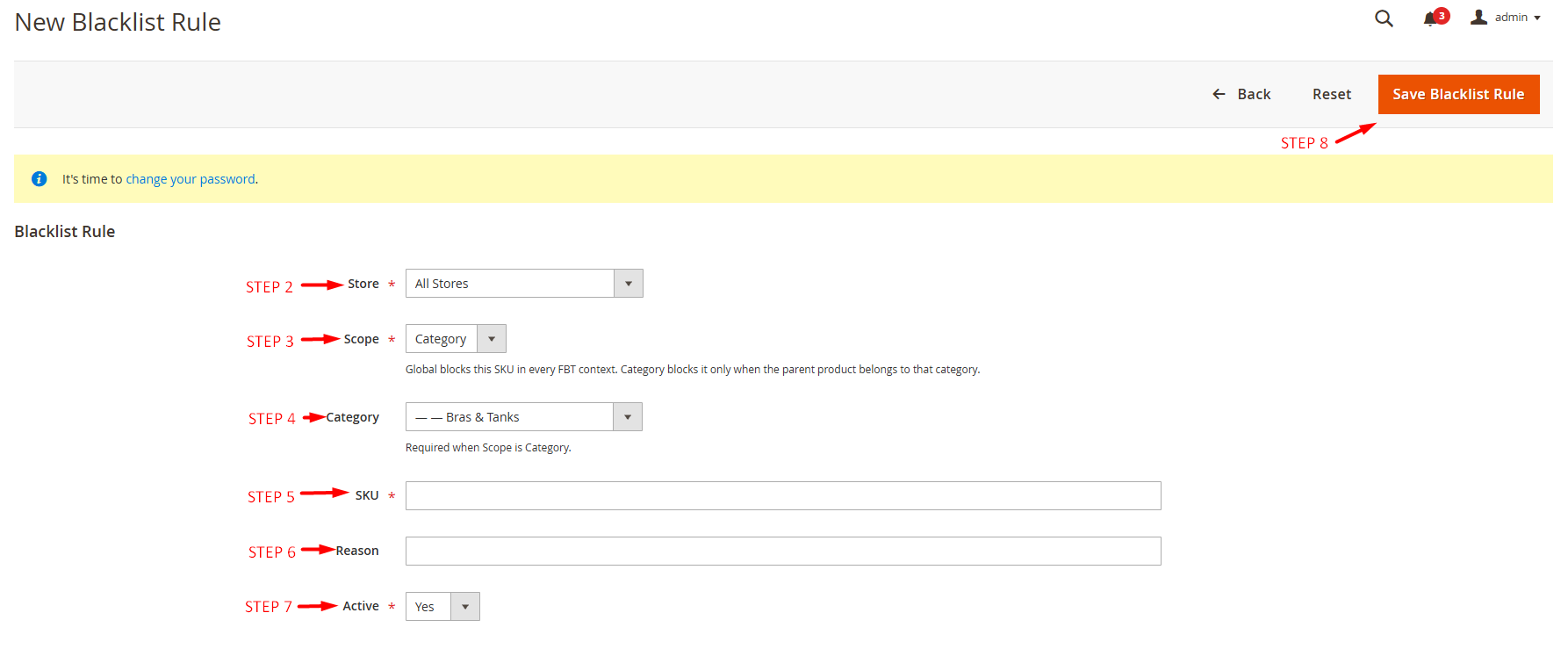
- Store: The All Stores function applies this pin to all store views.
- Scope: The Global block blocks this SKU in all FBT contexts. The Category block only blocks it when the parent product belongs to that category.
- Category: Required when Scope is Category.
- SKU: Product added to the blacklist.
- Reason: Reason for blacklisting.
- Active: Enable/Disable.
How AI Selects Recommendations
...